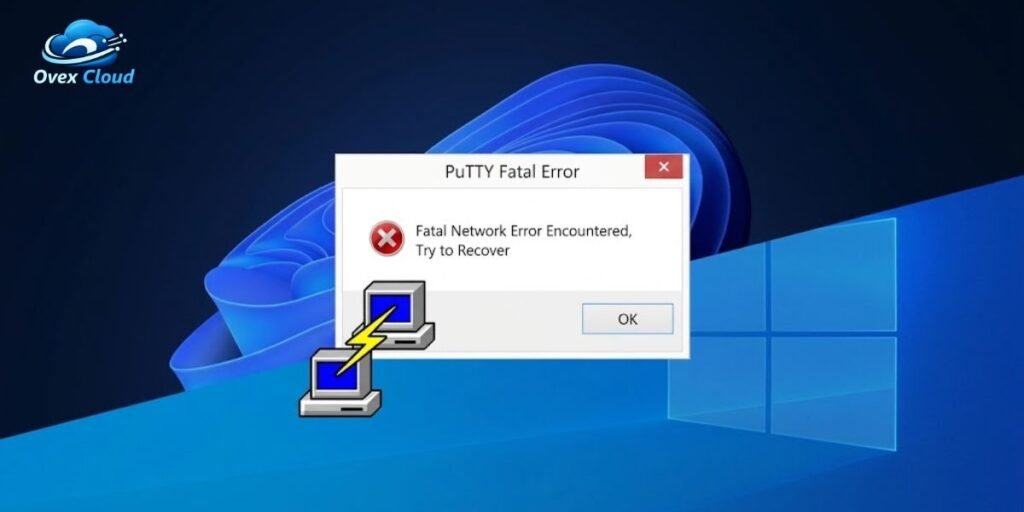
Video playback interruptions happen for dozens of reasons, but when the browser’s developer console shows the exact phrase fatal network error encountered, try to recover, the cause is not random. This message comes from a specific piece of software running inside the browser tab, not from Windows, macOS, or a fault on the device itself. It points directly to how the video was being delivered, and more precisely, to a failure inside the JavaScript engine responsible for pulling that video apart into playable pieces.
Understanding why this message appears requires understanding how HTTP Live Streaming actually works behind the scenes, because the fix depends entirely on which side of the screen a person sits on. A viewer watching a stream needs a different set of steps than a developer who built the player that produced the error in the first place. This guide walks through both paths, starting with what the error actually means at the code level.
What Fatal Network Error Encountered, Try to Recover Means
The exact string fatal network error encountered, try to recover comes from application code, most often copied from example code in the official documentation for HLS.js, the JavaScript library used by the large majority of web-based HLS players outside of Safari. As of September 2026, HLS.js sits at version 1.7.2, released on September 2, 2026 according to the project’s release history on GitHub. The library carries an Apache 2.0 license and has passed 16,900 stars on its GitHub repository, making it one of the most widely deployed open-source video players on the web today.
HLS.js was originally written by Guillaume du Pontavice while he worked at Dailymotion, and the project moved into the community-run video-dev GitHub organization in March 2017, a handoff Dailymotion described publicly as a way to bring in outside contributors and speed up development, according to Dailymotion’s own account of the move. That community-governed structure is still how the project is run today.
HLS.js is essentially a JavaScript implementation of a protocol Apple first published as an open standard. That standard, HTTP Live Streaming, is formally documented in RFC 8216, an Informational specification authored by Apple engineer R. Pantos and published through the IETF in August 2017. A second edition, currently circulating as the draft-pantos-hls-rfc8216bis working draft, continues to refine the spec today. HLS.js exists specifically because that protocol was built around Apple’s own media stack, and browsers such as Chrome, Firefox, and Edge needed a JavaScript-based way to parse the same playlists and fragments using the Media Source Extensions (MSE) API instead.
When a web application relies on HLS.js to play video, the library constantly tracks the health of every network request it fires. It sorts problems into two categories:
- A non-fatal error means the player noticed something minor, such as one media segment arriving a little late, and it quietly retries in the background without ever interrupting what the viewer sees.
- A fatal error is different. When HLS.js sets its internal fatal flag to true, its fetch pipeline has stopped completely and will not resume on its own. Control passes back to the surrounding application, which now has to run recovery code or wait for the viewer to refresh the page.
Why HLS.js Reports a Fatal Network Error
Adaptive bitrate streaming, the technique behind HLS, works by chopping a video into small, sequential files instead of serving one continuous stream. HLS.js fetches a master .m3u8 playlist first, then reads separate child playlists for each available resolution, then downloads a steady sequence of short .ts or .m4s fragments and hands them to the browser’s Media Source Extensions API for playback. This chain only works if every link holds. The player needs an unbroken sequence of successful downloads to keep its buffer full, and once that sequence breaks down for good, playback stalls and the fatal flag fires.
Several distinct failures further up the chain typically cause this:
- A phone switching from Wi-Fi to cellular mid-stream can drop the connection long enough to exhaust the player’s retry budget.
- A segment request can come back with an HTTP error such as 404 Not Found or 503 Service Unavailable, which usually means the file expired, was deleted, or the origin server is overloaded.
- Latency alone can do the damage even without an outright failure, since a fragment that takes too long to arrive lets the buffer empty before the next piece lands.
- Content delivery network issues sit further upstream, including edge node outages and CORS headers configured incorrectly on the media segments themselves, which browsers will block regardless of whether the file actually loaded.
- Live broadcasts add a failure mode unique to them, because if the encoder disconnects without updating the playlist index, the player keeps requesting fragments that will never exist.
- Local interference matters too, since aggressive browser privacy settings, ad blockers, or a VPN client can quietly strip or reroute requests before they ever reach the streaming server.
What Happens When the Network Error Becomes Fatal
Most network hiccups never reach the viewer’s attention. If a single chunk fails because of a brief dip in signal, HLS.js‘s built-in retry counters simply request it again and playback continues without so much as a stutter. The shift to fatal happens only once every configured retry attempt inside the player has been used up. At that point the library deliberately stops itself instead of continuing to hammer a server that appears unreachable, which protects both the viewer’s device and the origin infrastructure from a flood of failed requests.
Once that threshold is crossed, HLS.js fires its error event with fatal: true attached to the payload. The loading spinner typically freezes or disappears entirely, the video frame stalls on its last rendered image, and responsibility shifts to whatever code the site’s developers wrote to listen for that event. If no such code exists, or if it does not call one of the library’s recovery methods, the player simply stays broken until the page is reloaded.
How to Fix the Error When You Are Watching a Video
If this error shows up while watching a video on a website rather than while building one, the fault almost always sits somewhere between the current browser tab and the streaming server, not in some deeper system problem. Working through a short sequence of checks, in order, usually narrows the cause quickly.
Reload the Video and Restart Playback
A full page reload forces the site to discard its current HLS.js instance and build a new one from scratch. That clears any stale buffers sitting in memory, requests a fresh copy of the .m3u8 manifest, and opens an entirely new session with the media server rather than trying to resume a connection that already failed. This one step resolves the majority of one-off fatal network errors, particularly ones caused by a brief connectivity blip rather than a genuine outage on the server side.
Check Whether Other Websites and Videos Work
Open a second tab and try a different streaming site, or even just a standard web page. If everything else loads normally, the device’s network hardware and internet connection are working fine, and the problem is isolated to that one video host, its CDN, or the specific manifest file it served.
Try a Different Network
Switching from a home or office Wi-Fi network to a phone’s mobile hotspot isolates whether a local router, an ISP routing path, or a firewall rule is quietly blocking or throttling requests to the video delivery servers. If the stream plays immediately on cellular data, the fault sits somewhere in the original network path rather than with the video service itself.
Disable a VPN or Proxy Temporarily
VPNs and proxy services route every HTTP request through an intermediary server before it reaches its destination, and that extra hop can introduce latency or trigger CORS-related blocks on cross-origin segment requests. Turning off the VPN, even briefly, often restores the throughput a video player needs to keep its buffer fed.
Clear the Browser Cache or Try a Private Window
Stale cached playlist fragments or corrupted cookies tied to the site can cause the same request to fail on repeat. Opening the stream in an Incognito or Private window skips the saved cache entirely and disables most extensions automatically, which helps isolate whether an ad blocker or privacy tool is interfering with the segment requests.
Try Another Browser
Chrome, Firefox, Edge, and Safari each implement Media Source Extensions and fetch behavior with small differences. Safari actually plays HLS natively at the operating system level, using Apple’s own media engine rather than a JavaScript library, which is why HLS.js explicitly detects native support and steps out of the way on Safari and iOS rather than loading its own fetch pipeline there.
Testing a failing stream in Safari can therefore reveal whether the problem is specific to how one particular browser’s MSE implementation, extensions, or experimental flags interact with HLS.js itself, since a stream that fails in Chrome but plays cleanly in Safari points squarely at the JavaScript player rather than the source files.
How Developers Can Recover a Fatal HLS.js Network Error
For developers building a custom player, attaching a listener to Hls.Events.ERROR is what keeps a fatal failure from showing viewers a dead black screen with no explanation. HLS.js exposes Hls.ErrorTypes.NETWORK_ERROR specifically so application code can tell a transport failure apart from a decoding failure and react to each differently. The pattern documented in the library’s own API reference looks like this:
JavaScript
hls.on(Hls.Events.ERROR, function (event, data) {
if (data.fatal) {
switch (data.type) {
case Hls.ErrorTypes.NETWORK_ERROR:
console.log(“fatal network error encountered, try to recover”);
hls.startLoad();
break;
case Hls.ErrorTypes.MEDIA_ERROR:
hls.recoverMediaError();
break;
default:
hls.destroy();
break;
}
}
});
Calling hls.startLoad() tells the player engine to restart its fragment-loading loop from the current playback position instead of tearing down and rebuilding the entire player instance.
Using hls.startLoad() for Network Recovery
Calling hls.startLoad() forces HLS.js to immediately retry fetching media files, but firing it unconditionally, with no checks in place, can create real problems of its own. If the underlying cause was a total loss of local internet access rather than a server-side hiccup, calling it again produces an instant second fatal error, and doing that in a loop starts spamming both the video host and the viewer’s own device.
The project’s own documentation warns against building recovery logic that retries endlessly with no backoff or limit in place. A production-grade implementation should track how many recovery attempts have already fired, apply a short delay between each one, and give up gracefully after a defined ceiling instead of retrying forever.
Check the HLS Stream Before Changing Your Code
Before touching any front-end recovery logic, it is worth confirming the backend stream is actually online and serving valid files. The browser’s own developer tools, specifically the Network tab, make this fast to check.
Start by confirming the top-level .m3u8 master playlist returns an HTTP 200 response rather than failing at the initial handshake. Then check whether the child playlists tied to each resolution are updating on schedule for a live event, since a live encoder that has silently dropped will keep serving a playlist that never advances. From there, inspect a handful of individual .ts or .m4s fragment requests directly to see whether they are timing out, returning 404 responses, or getting blocked by a missing or misconfigured CORS header on the response. If the manifest itself is returning a server-side 500 error or the fragments are genuinely missing, no amount of client-side JavaScript will fix it, because the problem lives entirely on the server or CDN side of the connection.
It is also worth checking the response headers on those fragment requests specifically, since a missing or overly narrow Access-Control-Allow-Origin header on the CDN’s media segments will cause the browser to silently block a request that technically succeeded at the network level. Browsers enforce this CORS check before handing the response bytes to HLS.js, so the request can show a 200 status in the Network tab and still never reach the player, which looks identical to a network failure from the outside but is actually a server misconfiguration.
Fatal Network Error vs. Fatal Media Error
HLS.js draws a hard architectural line between these two categories, and mixing them up wastes debugging time. A NETWORK_ERROR happens during the transport stage, meaning the requested bytes never successfully made the trip from the origin server into the browser’s memory at all. Recovery for this category is entirely about re-establishing the connection, which is exactly what hls.startLoad() is built for.
A MEDIA_ERROR, by contrast, happens after the data has already arrived successfully. The failure occurs when the browser’s own media engine cannot decode or demux the video frames it just received, often because of a corrupted byte stream, a codec mismatch between the audio and video tracks, or a gap in the buffer. Calling hls.startLoad() does nothing for a media error, because the transport layer already did its job correctly. The correct tool instead is hls.recoverMediaError(), and in older codec-mismatch cases specifically, hls.swapAudioCodec(), though current documentation notes that particular method is rarely needed with modern browsers.
When hls.startLoad() Does Not Fix the Problem
There are a handful of situations where calling hls.startLoad() will never resolve anything, no matter how many times it fires:
- A live manifest that has already expired or been deleted once the broadcast ended will not come back, because the source file is simply gone.
- A CDN edge node stuck in a regional outage will keep failing until that provider resolves the incident on their end, not because of anything happening in the browser.
- A genuine hard disconnect on the viewer’s device, where there is no internet path at all, obviously cannot be solved by requesting files over a connection that does not exist.
- Protected streams add one more failure mode, since an expired authentication token or signed URL will keep returning 403 or 401 responses until a fresh token is issued, regardless of how many times the player retries.
Calling hls.startLoad() repeatedly during any of these situations just generates a continuous stream of error events, burns CPU cycles on the main thread, and risks getting the client’s IP address rate-limited or blocked outright by the server’s own abuse protection rules.
Is the Problem With Your Internet or the Streaming Server?
A short diagnostic check usually settles this quickly.
If the fault sits on the viewer’s end, multiple unrelated websites will also load slowly or fail outright, switching from Wi-Fi to mobile data will fix the stream almost immediately, and the browser’s developer tools will show general connection timeouts across several unrelated domains rather than just one.
If the fault sits with the server instead, every other site and service will work completely normally, only that one stream or domain triggers the HLS.js error, and the Network tab will show a specific, repeatable 404 or 503 response tied to the media manifest itself. One useful confirming signal is that if other viewers hitting the exact same stream link report the identical freeze at roughly the same time, that is strong evidence the outage sits on the origin or CDN side rather than with any one person’s connection.
How to Prevent Repeated HLS Network Errors
Recent versions of HLS.js give developers considerably more control over retry behavior than the library did in its earlier releases. As of version 1.7.2, the old flat settings such as fragLoadingMaxRetry, manifestLoadingMaxRetry, and levelLoadingMaxRetry are officially deprecated in favor of structured LoadPolicy objects, according to the project’s current API documentation.
The default fragLoadPolicy now allows six retry attempts on a genuine load error, with delays that back off from one second up to eight seconds between tries, while the default manifestLoadPolicy allows only a single retry before giving up, which reflects how much more costly a failed manifest request is compared with losing one video fragment. Encrypted streams get their own dedicated keyLoadPolicy, which permits up to eight retries with a longer, linear backoff reaching twenty seconds, since a failed decryption key request stalls every fragment behind it rather than just one.
Building a resilient player means leaning on that configuration rather than reinventing it from scratch. Setting explicit, reasonable ceilings inside fragLoadPolicy and manifestLoadPolicy keeps a struggling connection from retrying forever. Reading data.details inside the error handler, rather than only checking data.type, makes it possible to tell a MANIFEST_LOAD_ERROR apart from a FRAG_LOAD_ERROR and route each toward a more targeted recovery path instead of one generic response for everything.
For services where uptime genuinely matters, keeping a fallback source URL or a secondary CDN endpoint ready to swap in gives the player somewhere to go once its primary recovery attempts are exhausted, rather than leaving the viewer staring at a frozen frame. Whatever combination of these techniques a team settles on, capping the total number of automatic recovery attempts and surfacing a clear, human-readable message once that cap is reached is what actually protects the experience, since an endless silent retry loop is often worse for a viewer than an honest error screen with a working reload button.
Frequently Asked Questions
What does “fatal network error encountered, try to recover” mean?
It is the literal console message HLS.js prints when an HTTP request for a video manifest or fragment fails completely and every configured retry attempt has already been used up. It signals that the video has stopped loading and needs outside action, either from the site’s own recovery code or from the viewer reloading the page, before playback can resume.
Why does HLS.js show a fatal network error?
The player cannot download the files it needs to keep playing. Common causes include a dropped local connection, a server timeout, a segment file already deleted from the origin server, an expired signed stream link, or a browser extension quietly blocking the request.
Does a fatal network error mean my internet is down?
Not necessarily. A dropped connection is one possible cause, but this exact error shows up just as often when a person’s internet is working perfectly fine and the actual streaming server or CDN node hosting that particular video has gone offline.
What does hls.startLoad() do?
It is the HLS.js method that tells the player engine to resume fetching playlist manifests and media fragments from the server. Developers call it inside their error handler as the standard way to attempt manual recovery once a fatal network error has fired.
Why does the HLS.js error keep coming back?
It keeps recurring because whatever broke the connection in the first place is still broken. If the origin server is offline, the stream link has expired, or the device genuinely has no internet path, calling the recovery function again and again will just keep triggering the same fatal event.
What is the difference between NETWORK_ERROR and MEDIA_ERROR?
A NETWORK_ERROR means the player failed to download the video files over HTTP in the first place. A MEDIA_ERROR happens after those files have already arrived successfully, when the browser itself fails to decode or process the media data because of corruption or a codec mismatch.