Encountering the Marvell AVASTAR Wireless-AC Network Controller in Windows usually happens under frustrating circumstances. Users typically notice this component name pop up when their wireless connection completely drops, refuses to handshake with local routers, becomes intermittently unstable, or displays a glaring yellow warning icon inside Device Manager.
Diagnosing these symptoms requires drawing a clear line between the physical hardware controller, the software driver loaded by the operating system, and the external wireless network environment.
Seeing this specific device label appear in system menus does not automatically mean the underlying driver file is corrupted or that the hardware has failed.
Pinpointing the root cause requires understanding how this controller communicates with system firmware, how Microsoft packages distribution drivers, and how power management states interact with network persistence.
What Is Marvell AVASTAR Wireless-AC Network Controller?
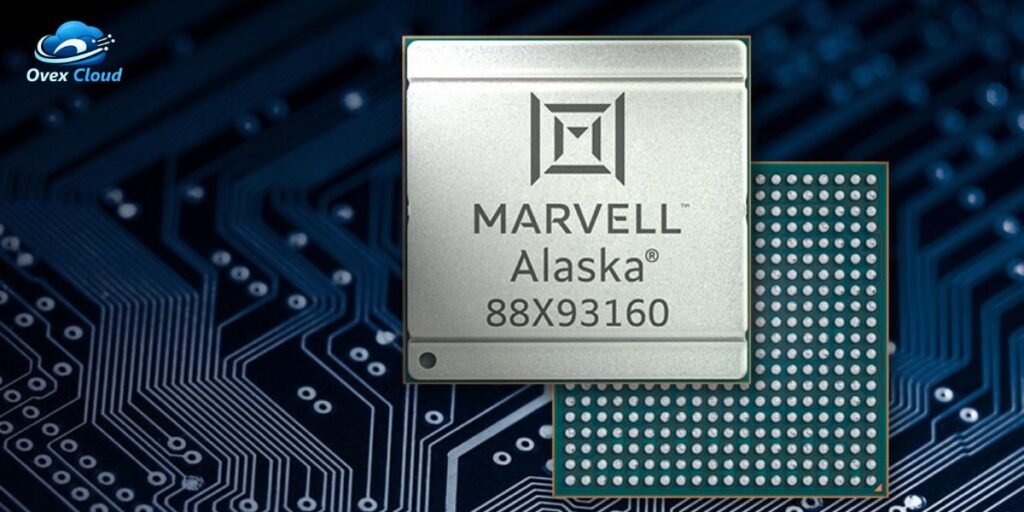
The Marvell AVASTAR Wireless-AC Network Controller is an integrated wireless networking chip built into specific computer motherboards to handle local network radio frequencies.
This controller bridges physical radio frequency transmission and the Windows networking stack, relying on specific driver packages to translate operating system commands into hardware operations.
The chip provides native support for the 802.11ac wireless networking standard, commonly designated as Wi-Fi 5.
It handles dual-band network transmissions, managing communication across both the 2.4 GHz spectrum for long-range compatibility and the 5 GHz spectrum for high-throughput data transfer.
Windows identifies the component using the manufacturer designation Marvell AVASTAR because the underlying hardware registers its vendor ID and device architecture during the system startup enumeration process.
Distinguishing between the physical controller identity and the active software driver version prevents confusion when evaluating updates or compatibility errors.
Where You Will Find the Marvell AVASTAR Controller
The presence of this wireless controller is largely tied to specific hardware ecosystems rather than distributed universally across every computer brand.
- Microsoft Surface hardware lines, including generations of the Surface Pro and Surface Book, utilize this specific controller family for wireless connectivity.
- Selected OEM laptop configurations from manufacturers like Dell and HP integrated these chips into mid-generation mobile architectures.
Encountering the identical device name across different manufacturer models does not mean those machines share a unified software environment.
OEM customization, motherboard power delivery design, and UEFI firmware integration mean that driver packages tailored for one hardware layout cannot be blindly cross-installed on another.
Official distribution depends heavily on manufacturer support portals and the Microsoft Update Catalog rather than generic utility websites.
How to Identify the Exact AVASTAR Hardware and Driver
Troubleshooting network instability requires looking past the generic device label and inspecting the precise properties reported by the operating system.
Navigating to Device Manager, expanding Network adapters, right-clicking the Marvell AVASTAR Wireless-AC Network Controller, and selecting Properties reveals critical diagnostic parameters:
- Driver Provider: Displays whether Microsoft, Marvell, or an OEM engineered the active package.
- Driver Date: Highlights the chronological age of the installed software stack.
- Driver Version: Identifies exact iterations such as build 15.68.17022.122.
driverpack.io - Device status: Indicates whether the hardware reports normal operation or initialization error codes.
- Hardware IDs: Displays string identifiers used by Windows to match INF installation files.
The hardware identification string holds significant diagnostic value. The device universally registers under the canonical identifier PCI\VEN_11AB&DEV_2B38, pointing directly to the underlying 88W8897 chipset architecture.
driverpack.io
Matching driver packages to specific subsystem string variations ensures that power states and antenna configurations map correctly to the host motherboard.
Where to Get the Correct Marvell AVASTAR Driver
Sourcing reliable software updates prevents repetitive connection dropouts and prevents installation failures caused by digitally unsigned packages.
- Microsoft Surface Support Pages provide curated, tested driver and firmware MSI or EXE packages explicitly tailored for Surface architecture.
- OEM Support Portals for Dell or HP offer validated system-specific drivers if the controller runs on third-party hardware.
- Microsoft Update Catalog supplies archival and enterprise .cab driver versions when specific builds are required for rollback or testing.
Defaulting to third-party driver aggregation websites introduces severe security risks and often results in mismatched INF installations that break wireless functionality.
The Microsoft Update Catalog hosts multiple historical iterations of the AVASTAR driver mapped against distinct hardware IDs, proving conclusively that no single universal installer fits every system layout.
Installing or Reinstalling the Marvell AVASTAR Driver
Executing a clean driver installation requires methodical steps depending on the distribution format provided by the manufacturer.
- OEM Package Execution: Running official executable setups or extracting MSI packages updates system files automatically while refreshing registry keys.
- Catalog Extraction: Extracting downloaded .cab files into a local directory allows manual installation via Device Manager by choosing the Browse my computer for drivers and Let me pick from a list options.
Reddit - Device Manager Reinstallation: Uninstalling the device while checking the box to Attempt to remove the driver for this device forces Windows to clear corrupted configuration states upon a fresh hardware rescan or reboot.
Verification completes the process. Checking the driver properties tab after a system restart ensures that Windows successfully initialized the intended build rather than falling back to a generic legacy adapter profile.
The Marvell AVASTAR Wi-Fi Problems That That Matter
Real-world failures involving this controller typically manifest through distinct, recurring operational symptoms rather than random anomalies.
- The wireless adapter completely disappears from Device Manager or throws error codes during startup.
- Network throughput degrades severely, or connections drop immediately following system sleep and resume cycles.
- The system connects successfully to 2.4 GHz bands while failing to perceive or maintain 5 GHz access points.
- Connections succeed on isolated guest networks but fail entirely on enterprise security infrastructures.
Isolating these symptoms prevents misdirected troubleshooting. Driver corruption, aggressive power-saving states, router security protocol mismatches, and physical hardware degradation each produce distinct diagnostic footprints.
Why 5 GHz Problems Can Point to the Driver or Wireless Configuration
Troubles involving 5 GHz network stability frequently surface due to how the AVASTAR driver handles frequency handshakes and power management thresholds.
Operating on the 5 GHz spectrum demands precise timing and clean signal-to-noise ratios, making the connection vulnerable to outdated driver logic or aggressive power-saving optimizations.
Changes introduced in specific cumulative driver updates have historically altered channel width handling, causing intermittent drops on higher frequency bands while leaving 2.4 GHz connections functional.
Isolating the issue by forcing a router to broadcast separate SSID names for each frequency band helps clarify whether the adapter struggles specifically with high-frequency handshakes.
Historical support documentation confirms that rolling back to stable driver iterations or modifying advanced properties like WMM-PS (Wireless Multimedia Power Save) often restores normal dual-band operation without requiring hardware replacement.
Should You Update, Reinstall, or Roll Back the Driver?
Selecting the correct remediation step depends entirely on the chronological timeline of when the network failure began.
- Update when the active driver version is severely outdated, or when an official OEM release explicitly notes compatibility fixes for recent Windows OS builds.
- Reinstall when the current installation appears corrupted, or when Device Manager flags the controller with warning symbols due to missing registry parameters.
- Roll Back when connection instability immediately follows an automatic system update, indicating that the newly deployed driver build introduced a regression.
Focusing troubleshooting efforts around cause and timing eliminates trial-and-error iteration, preserving system stability.
When the Driver Is Not the Real Problem
Persistent network failures that resist clean installations, driver rollbacks, and firmware updates often point away from software corruption entirely.
- The wireless controller functions flawlessly when connected to alternative external networks or mobile hotspots.
- Multiple independent client devices experience identical connection drops on the primary local router.
- System logs confirm the physical device remains active in Device Manager without error codes despite losing data packets.
- The issue correlates directly with specific router firmware updates, channel width adjustments, or security protocol shifts like WPA3 implementation.
When the controller repeatedly vanishes from system hardware buses or fails across completely different verified networks regardless of software version, physical hardware degradation or thermal fatigue becomes the primary suspect, warranting hardware servicing.
Frequently Asked Questions
What is Marvell AVASTAR Wireless-AC Network Controller?
It is a dedicated wireless network adapter chip integrated into specific computer hardware to manage Wi-Fi connectivity and radio frequency communications.
Is Marvell AVASTAR a Wi-Fi adapter?
Yes, it functions as the internal physical hardware adapter that connects a computer to wireless local area networks.
What Wi-Fi standards does Marvell AVASTAR support?
The controller provides native support for 802.11ac wireless protocols alongside legacy 802.11a/b/g/n networks.
Which devices use Marvell AVASTAR?
The controller is primarily found in Microsoft Surface tablets and laptops alongside select OEM systems from manufacturers like Dell and HP.
Where can I download the Marvell AVASTAR driver?
Drivers should be sourced directly from official manufacturer support sites, Microsoft Surface driver packages, or the Microsoft Update Catalog.
Is there one universal Marvell AVASTAR driver?
No, multiple driver builds exist, mapped to specific hardware IDs, operating system versions, and OEM motherboard configurations.
DriverHub
How do I find my AVASTAR hardware ID?
Hardware identifiers are located inside Device Manager by right-clicking the network controller, opening Properties, and navigating to the Details tab.
Why is Marvell AVASTAR not connecting to Wi-Fi?
Connection failures usually stem from driver corruption, aggressive power management states, outdated firmware, or router security mismatches.
Why does AVASTAR have problems with 5 GHz?
Issues on the 5 GHz band typically arise from driver-level power-saving behaviors, channel width incompatibilities, or outdated radio firmware.
Should I update or roll back the AVASTAR driver?
Update when resolving old bugs, but roll back immediately if connection dropouts began right after an automatic driver installation.
Why does Marvell AVASTAR disappear from Device Manager?
Disappearance from the hardware bus usually indicates severe driver corruption, a crashed power state transition, or physical hardware failure.