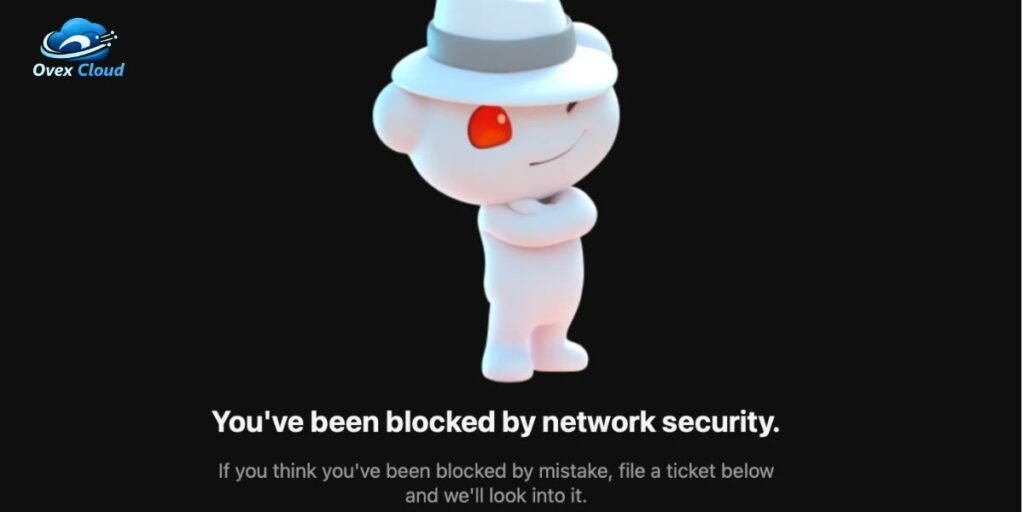
You are browsing Reddit, trying to open a thread, submit a comment, or sign in to your account, when suddenly the page stops loading. Instead of your feed, you see a message stating You’ve been blocked by network security. Seeing this message can be alarming, especially if you have never violated Reddit rules or engaged in spam.
This error does not mean your profile has been permanently banned or suspended. Instead, it indicates that Reddit security filters flagged the automated request coming from your internet connection.
The security system halted the connection before the server delivered the page data. Understanding why this block triggers allows you to diagnose whether the root cause lies in your local browser, your network connection, or Reddit infrastructure itself.
This comprehensive article covers why these blocks happen, how to pinpoint the source of the issue, and which practical fixes restore normal access.
What Reddit Means by “You’ve Been Blocked by Network Security”
When Reddit displays this block message, it is issuing an automated HTTP 403 Forbidden server response. The edge security layer intercepting your connection decided to reject your browser request.
This error differs fundamentally from an account suspension or sub-reddit ban. An account ban applies directly to your username, preventing you from posting or voting across devices.
A network security block applies to your IP address, your browser fingerprint, or your specific network path. In fact, this screen often appears before you even log in, proving that the penalty is tied to connection data rather than user identity.
Users run into this block across various areas of the site:
- Main feed and subreddit landing pages
- Comment threads when opening links in new tabs
- Account login and password reset pages
- Search queries and thread navigation
- Third party Reddit reader apps and mobile interfaces
Why Reddit Is More Aggressive About Network Security Than Before
In recent years, Reddit modified its security architecture to handle massive surges in automated traffic. Large language model training, commercial scraping bots, and automated spam networks bombard Reddit infrastructure millions of times per day.
To protect site performance and preserve server resources, Reddit relies heavily on content delivery networks like Cloudflare and strict edge protection rules. These systems evaluate incoming traffic in milliseconds, scoring requests based on risk factors.
Key drivers behind these aggressive security posture changes include:
- Automated scraping defense to stop unauthorized AI training bots from crawling forums
- Preventing bulk account creation scripts operated by commercial spammers
- DDoS mitigation to keep the platform online during high volume traffic spikes
- Rate limiting aggressive scripts that request hundreds of pages per minute
Because these automated defense rules operate on broad pattern matching, regular users frequently get flagged as false positives. If your browser setup or connection pattern resembles bot behavior, the system triggers the network security screen.
What Usually Triggers the Block
Understanding the exact technical triggers helps narrow down why your specific connection was rejected by Reddit security systems.
VPN or Proxy Connections
Virtual Private Networks and proxy services route your internet traffic through shared data center servers. When hundreds or thousands of users share a single IP address, bad actors using that same server can ruin the reputation of that address.
Reddit automatically flags data center IP ranges associated with commercial VPN providers. If another user on your VPN server spammed the platform, Reddit may block that IP entirely, affecting everyone sharing it.
A Flagged IP Address
Even without a VPN, your standard residential IP address can inherit a poor reputation score. Internet Service Providers periodically reassign dynamic IP addresses among customers.
If a previous customer assigned to your current IP address ran infected devices, participated in botnets, or scraped web data, that IP address remains on security blocklists. Reddit reads that history and blocks incoming requests automatically.
Too Many Requests in a Short Time
Opening dozens of Reddit threads in rapid succession or constantly refreshing pages triggers automated rate limits. Reddit limits the volume of requests permitted from a single IP within a short window, often capped around 60 requests per minute.
If your browser exceeds that threshold, security scripts assume an automated crawler is active and temporarily drop your connection privileges.
Browser Extensions
Certain browser add-ons modify how your computer talks to Reddit servers. Privacy tools, aggressive ad blockers, and canvas blockers alter your browser header details.
Common extensions that alter traffic flow include:
- uBlock Origin and custom ad-blocking rulesets
- Privacy Badger and tracking protection scripts
- User-Agent switchers that forge browser identity
- Script blockers like NoScript
When Reddit requests standard verification tokens and an extension blocks that response, the security layer assumes the request is synthetic.
Automated Browsing or Scripts
Running custom Python scripts, web scrapers, browser automation tools like Selenium, or modified API queries without proper authentication headers results in instant blocks. Reddit requires developer registration and strict adherence to API rate limits for automated access.
Public or Shared Networks
Shared Wi-Fi environments process massive amounts of concurrent connections through a single public IP address.
High volume traffic networks prone to security triggers include:
- College campus and university dorm networks
- Corporate office environments with strict firewall relays
- Airport, hotel, and coffee shop public hotspots
If one user on a shared campus network conducts abusive activity, Reddit security filters may block access for the entire building.
Temporary Reddit Security Rules
During platform updates, spam attacks, or backend database migrations, Reddit security engineers temporarily elevate global defense thresholds. During these periods, minor browser anomalies that usually pass inspection get blocked.
Before You Start Troubleshooting, Identify What Is Actually Blocked
To avoid wasting time changing random settings, run a fast diagnostic process to isolate the problem variable.
Before applying technical fixes, test these variables to determine scope:
- Browser Scope: Open Reddit in a clean Incognito or Private window, or try a completely different web browser like Edge or Firefox.
- Device Scope: Try loading Reddit on a mobile phone using the same Wi-Fi connection.
- Network Scope: Disconnect your phone from Wi-Fi and attempt loading Reddit over cellular data.
- Authentication Scope: Check if the error persists while logged out versus when signed into your account.
Reviewing these results points you directly to the correct solution path:
| Diagnostic Test Result | Primary Cause | Immediate Action |
| Works on cellular, fails on Wi-Fi | Flagged IP or Network Block | Restart router or disable VPN |
| Works in Incognito, fails in normal mode | Corrupted Cookies or Extension | Clear site data or disable add-ons |
| Works on Chrome, fails on Firefox | Browser cache mismatch or bug | Force hard refresh or clear cache |
| Fails across all devices and networks | Reddit server-side issue | Check status page or wait |
Fixes That Resolve the Problem Most Often
Follow these solutions step by step, ordered from the simplest fixes to advanced troubleshooting steps.
Perform a Hard Refresh
In many cases, your browser cached a temporary security block page and keeps serving that stored version even after the network flag expires. A standard refresh reloads local cache, whereas a hard refresh forces a new request directly to Reddit servers.
Use these keyboard shortcuts depending on your operating system:
- Windows and Linux: Press Ctrl + F5 or Ctrl + Shift + R
- Mac OS: Press Cmd + Shift + R
If the hard refresh bypasses the error page immediately, cached data was responsible for the loop.
Disable Your VPN or Proxy
If you use a commercial VPN, disable the connection completely and refresh Reddit. If Reddit loads instantly, your VPN server IP address is flagged.
If you prefer keeping a VPN active, try these adjustments:
- Switch location servers to obtain a fresh IP address
- Use Split Tunneling to route Reddit outside the VPN tunnel while protecting other traffic
- Upgrade to a Dedicated IP or residential proxy service
Clear Reddit Cookies and Cached Files
Corrupted session cookies can trigger security validation errors. Clearing cookies specifically for Reddit resets your browser identity without logging you out of every other website.
Clear storage data in popular browsers following these paths:
- Google Chrome: Go to Settings, select Privacy and Security, click Third-party cookies, choose See all site data, search for reddit.com, and click Delete.
- Mozilla Firefox: Go to Settings, select Privacy & Security, click Manage Data under Cookies and Site Data, search for reddit.com, and click Remove Selected.
- Microsoft Edge: Go to Settings, select Cookies and site permissions, click Manage and delete cookies and site data, search for reddit.com, and clear all entries.
After clearing site data, restart your browser and log back into your account.
Open Reddit in Another Browser or Incognito Mode
Testing an alternative browser confirms whether local settings are interfering with Reddit security checks. Incognito mode disables most third party extensions by default, providing a clean testing slate.
If Reddit functions properly inside Incognito mode, an active browser extension or corrupted cache setting is causing the security system to block your requests.
Try a Different Internet Connection
Switching your connection verifies if the issue stems from your local network IP. Connect your computer to a mobile phone hotspot or switch your phone from Wi-Fi to cellular data.
If Reddit opens immediately on the new network, your home or work IP address was placed on a temporary blocklist.
Restart Your Router
Most home Internet Service Providers assign dynamic IP addresses that change periodically. Power cycling your home network hardware forces your modem to request a new public IP address from your provider.
Follow these steps to successfully reset your IP address:
- Unplug power cables from both your modem and router.
- Wait at least 60 seconds to ensure internal capacitors drain completely.
- Plug the modem back in and allow all status lights to turn solid.
- Reconnect the router and wait for your Wi-Fi network to re-establish.
Check your public IP address before and after this process to verify that a new address was assigned.
Disable Browser Extensions Temporarily
Ad blockers and privacy add-ons frequently block the security scripts that Reddit uses to verify human traffic.
Temporarily toggle off extensions in this order to locate the offender:
- Privacy and tracking blockers like Privacy Badger
- Ad-blocking extensions like uBlock Origin
- Custom script managers like Tampermonkey
- Built-in browser shields such as Brave Shields
Turn off one extension at a time, then refresh Reddit to see if normal access returns.
Wait for Temporary Restrictions to Expire
When Reddit rate-limits an IP address or flags a brief burst of unusual traffic, the restriction is usually temporary. Most automated security blocks lift automatically within 15 minutes to 24 hours once traffic normalizes.
If non-urgent, simply leaving the site alone for an hour often resolves the issue automatically.
Contact Reddit Support if the Problem Persists
If you tried all troubleshooting steps and remain blocked across multiple devices on your home network for over 48 hours, file a ticket with Reddit Support.
Provide these specific details in your support request to speed up resolution:
- A full screenshot showing the exact error screen
- Your public IP address obtained from an IP lookup tool
- The device, browser, and operating system you are using
- Whether a VPN or proxy was active during the issue
- Your network type, such as home fiber, university Wi-Fi, or cellular network
When the Problem Is on Reddit’s Side
It is easy to assume your computer or network is broken when encountering security warnings, but Reddit itself is often at fault. Platform updates, misconfigured firewall rules, and backend system outages routinely trigger widespread network security blocks for thousands of users simultaneously.
Common server-side causes include:
- Misconfigured Web Application Firewall rules that incorrectly flag legitimate web browsers
- Content Delivery Network routing glitches affecting specific geographic regions
- Bugs in new site updates affecting specific browser builds like Firefox or desktop Chrome
- Database degradation causing authentication handshake failures
Before troubleshooting your home setup, check redditstatus.com or search social channels to see if hundreds of other users are reporting the exact same error at the same time. If a platform outage is active, technical adjustments on your machine will not resolve the error until Reddit deploys a hotfix.
If You Are Using Reddit Through Third-Party Tools
Users accessing Reddit content through specialized software encounter network security blocks at significantly higher rates than standard browser users. Reddit enforces tight restrictions on non-standard client connections.
Third party tools highly vulnerable to network security blocks include:
- Third party mobile readers connecting via custom user agents
- Automated moderation tools and custom bots missing updated API keys
- Data scraping scripts and academic research crawlers
- Social media management software and scheduling tools
To prevent blocks while using third party integrations, ensure your application uses official OAuth2 authentication, honors API rate limits, and uses clean residential connection proxies rather than datacenter servers.
How to Reduce the Chances of Seeing This Message Again
Adopting smart browsing habits reduces the likelihood of triggering Reddit network security filters in the future.
Follow these best practices to maintain a clean trust profile:
- Limit rapid tab opening and avoid refreshing multiple pages continuously.
- Avoid free VPN services, as their IP addresses are almost universally blacklisted by major platforms.
- Keep your web browser updated so security handshakes match standard modern configurations.
- Minimize privacy extensions that obfuscate basic user-agent data required for site authentication.
- Remain logged into an active account when browsing, as authenticated users receive higher trust scores than anonymous traffic.
Closing Thoughts
Encountering the You’ve been blocked by network security error on Reddit can be frustrating, but it is rarely cause for long term concern. In almost every scenario, the message reflects an automated defense filter reacting to a shared VPN IP, a corrupted browser cache, an aggressive browser extension, or a brief platform-side configuration glitch.
By systematically diagnosing whether the block is tied to your browser setup, your VPN, or your local network IP, you can apply targeted fixes to regain site access quickly. In cases where widespread server-side updates trigger false positives, running a hard refresh or allowing the temporary restriction to expire naturally will get your feed back up and running.
Frequently Asked Questions
Does this mean Reddit banned my account?
No. The network security block is an IP-level or connection-level restriction, not a penalty against your user profile. Your account remains in good standing, and you can usually log in without issues from a different network or device.
Why can I access Reddit on my phone but not my computer?
This happens when the block is tied to your computer browser cache, a specific browser extension, or your home Wi-Fi network. If your phone uses cellular data instead of Wi-Fi, it connects through a completely different IP address that is not flagged.
Can a VPN cause this message?
Yes. Commercial VPNs route traffic through shared data center IP addresses. Because spammers frequently abuse VPN IPs, Reddit security systems automatically block many of these shared address ranges.
Why does refreshing sometimes fix the issue?
A hard refresh bypasses cached block pages stored in your browser memory. Additionally, refreshing can send your request to a different backend server node that may not be enforcing elevated security rules.
Will changing my IP address help?
Yes. Because network security blocks target specific IP addresses, getting a new IP address by restarting your router, switching Wi-Fi networks, or turning off a VPN resolves the block immediately.