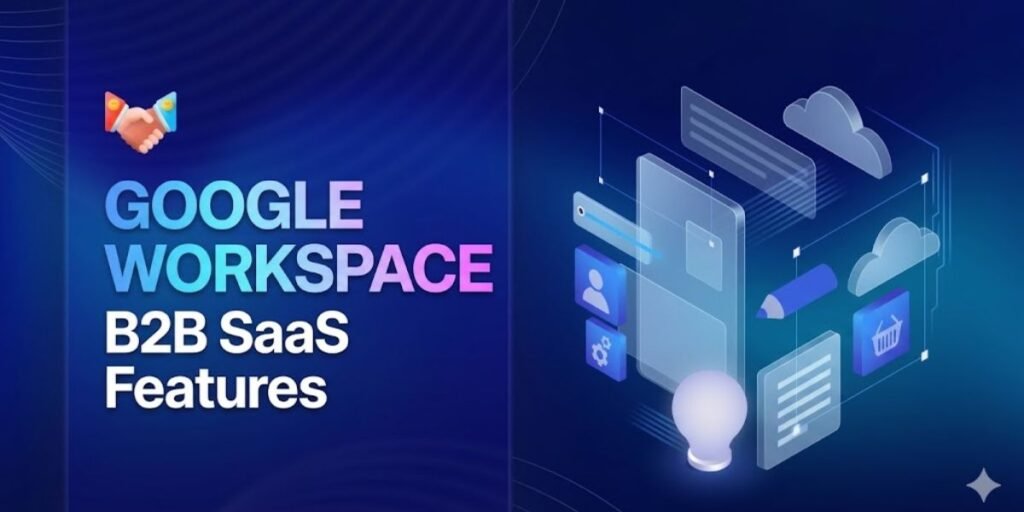
Google Workspace serves as the primary operational backbone for global businesses that require scalable communication, cloud-native collaboration, and rigorous security governance.
Moving beyond simple email hosting, this ecosystem provides a centralized software-as-a-service architecture. Within this framework, identity management, document workflows, and administrative controls are engineered to eliminate the persistent friction of software fragmentation.
Technical leaders frequently identify the shift to unified cloud platforms as a mandatory requirement for maintaining high operational velocity.
This guide provides an explicit technical analysis of the multi-tenant architecture and administrative systems governing Google Workspace when deployed as a core business platform.
The following sections dissect the mechanics of central cloud delivery and establish the technical baseline for foundational control centers, including enterprise gateway mail routing, cloud-native document synchronization, direct organizational data ownership, centralized administrative orchestration, and edge identity verification.
What Makes Google Workspace a B2B SaaS Platform
The classification of this platform as an enterprise software-as-a-service asset depends entirely on its multi-tenant architecture. This design completely separates corporate environments from public consumer traffic.
Commercial data paths reside within distinct logical partitions that operate under isolated security rules. This ensures that enterprise assets remain logically cordoned off from general internet data.
Manual endpoint deployments no longer burden local information technology teams. Physical network patch cycles and on-premise hardware storage costs vanish when adopting this model.
The provider manages the underlying infrastructure. Internal technical staff control access rights and security perimeters from a unified administrative platform.
Scaling user capabilities inside this framework happens instantaneously as staffing demands shift. If a corporation adds a new regional facility or completes an acquisition, new communication profiles expand immediately across the domain.
Administrative access boundaries and shared storage capacities also scale on demand. This structural agility avoids capital risk and converts technical expenses into predictable operating fees that sync directly with current workforce metrics.
System upgrades and security adjustments apply continuously at the cloud layer. Global workflows stay intact without requiring system downtime or causing version conflicts between external contractors and internal divisions.
Core Google Workspace B2B SaaS Features
1. Enterprise Email and Communication System (Gmail for Business)
The corporate tier of Gmail serves as a monitored email gateway providing administrators with complete oversight over inbound data packages and outbound company communications.
This enterprise engine runs on strict filtering rules designed to meet modern security compliance criteria and protect internal communication networks. Technical teams use domain verification settings to stop sender spoofing. They also block credential harvesting links and prevent phishing software from entering individual employee mailboxes.
Domain authentication requires system-wide enforcement of SPF, DKIM, and DMARC records to validate incoming traffic legitimacy and defend the corporate domain reputation. This framework ensures that outside mail servers can verify the precise origin of every message leaving the business network.
At the gateway level, intelligent edge filtering analysis engines identify malicious macros. They spot hidden script variants and social engineering patterns before delivery to an endpoint. This automated inspection occurs in the cloud layer and finishes before the network perimeter is ever crossed.
For data protection, content compliance policies utilize automatic content parsers that scan outbound text lines and file attachments for sensitive variables like financial metrics. The system routes protected assets to an isolated review queue if a match occurs, preventing accidental leaks of proprietary data.
Everything finishes with forensic audit logging, where persistent, unalterable message logs record delivery states, source IP markers, and transit encryption levels to help internal teams investigate compliance anomalies with precision.
2. Cloud Collaboration Suite (Docs, Sheets, Slides)
The core creation tools function on a cloud-native document database model that eliminates file attachments and localized data variations. Multiple authorized accounts modify a single file canvas simultaneously, which removes file version conflicts and establishes a clear documentation trail for corporate reviews.
Collaborative document management handles multi-user file editing by applying specific access controls at the folder and asset level. Dynamic access parameters let document owners limit user involvement to viewing, adding inline comments, or full editing rights.
They also include secondary options to block file duplication, printing, or local downloads. This granular control is essential for protecting sensitive business documentation.
To maintain structural accountability, point-in-time revision logs feature micro-level tracking that registers every character change alongside specific user identities and clear timestamps. This mechanism allows managers to review modifications or restore past file states instantly.
Project execution is further accelerated by contextual workflows that support inline discussion logs, task assignments, and internal sign-off steps directly inside the active processing environment. This integration keeps the entire history of an asset contained within its own digital canvas.
3. Google Drive Enterprise File Management
Google Drive behaves as the main storage layer for corporate data assets. In a proper business setup, document ownership is unlinked from personal user accounts and assigned directly to the organization’s parent domain.
This architecture ensures that vital corporate records remain accessible even when an employee leaves the company directory. The storage system uses automated backend rules to categorize, track, and protect files.
Under the shared drives framework, group folders apply uniform access rules across whole departments, meaning files stay accessible even if an asset creator is removed from the corporate system.
To prevent structural compliance errors, data loss prevention rules deploy constant background scanning processes that check file profiles for protected information strings. They drop external sharing privileges automatically if a violation is triggered.
Information retrieval relies on semantic search functions, where machine indexers search text inside images, code files, and documents to locate precise files. This removes the need for manual folder structures or complicated tagging methods.
4. Admin Console and Organizational Control System
The Admin Console functions as the single dashboard for systems engineers to set identity rules, manage endpoint devices, and audit user permissions across the global organization. Managing thousands of employees requires grouping workers into structural layers known as Organizational Units.
Administrators use these divisions to roll out unique tool access rules across the enterprise ecosystem. For example, the legal division might work under absolute data retention laws, while creative teams keep flexible file-sharing privileges to coordinate with outside contractors.
The entire employee lifecycle path is monitored from this dashboard. This setup enables immediate account lockouts, application unlinking, and token cancellations.
These actions prevent data theft during personnel offboarding by ensuring that access is revoked across all enterprise applications simultaneously.
5. Security and Identity Management Layer
The identity management engine works as a directory control system that runs zero-trust verification rules across all connected business applications. Security specialists configure this environment to monitor, test, and control access permissions continuously.
To secure identity boundaries, enforced multi-factor protocols utilize domain policies that require physical FIDO2 hardware security keys, mobile push verification steps, or timed codes to stop credential theft and session hijacking.
Federated access relies on SAML and OIDC single sign-on, letting the platform operate as a secure identity hub. This setup gives personnel single-click entry into outside software spaces like Salesforce or Slack without making separate passwords.
Access evaluation concludes with context-aware authentication rules that verify target device patch levels, geographic location data, and network origins before unlocking corporate data environments. This framework reduces the enterprise attack surface by anchoring all information requests to verified, continuously checked user IDs.
6. Google Meet for Enterprise Communication
Corporate video communications rely on web-native architectures to maintain network stability and limit local vulnerabilities. By executing data transfers inside modern web browsers, technical units bypass the patch cycles and installation friction of traditional desktop software. The media pipeline prioritizes transit security and high-capacity distribution over varied network types.
Real-time audio streams undergo evaluation at the cloud edge to insulate conversations from environmental disruptions. Software algorithms isolate vocal frequencies, removing background hums and room echoes without introducing processing lag.
Enterprise security protocols require explicit, multi-party consent before automated collection mechanisms activate. Administrators deploy mandatory opt-in flags, forcing participants to accept recording or transcription steps before capture begins. Once a session ends, the platform routes compiled media files into designated cloud storage, ensuring data paths align with corporate retention schedules.
7. Google Calendar Enterprise Scheduling System
Organizational time management depends on transparent scheduling directories that balance workforce availability against limited corporate assets. The system links employee profiles to room assets, regional calendars, and operational timelines. Global synchronization requires specialized time-matching models to avoid scheduling friction across international offices.
The engine uses advanced recipient analysis to evaluate the active calendars of requested participants simultaneously. When a meeting coordinator schedules a briefing, the system analyzes localized time zones and existing commitments to isolate open structural windows automatically.
Physical operations require clear resource distribution frameworks where buildings, hardware, and digital links function as unique tracking objects. This mapping prevents double-bookings by locking down locations the instant a team confirmation occurs. The resulting schedule information is exposed as a structured API variable, allowing custom external tools to adjust operational updates or log shifts automatically.
8. Automation and Integration Ecosystem
The utility of a productivity stack depends on its ability to exchange data securely with external client managers, resource platforms, and proprietary database architectures. The platform uses open programmatic channels to prevent corporate intelligence from becoming trapped in disconnected silos. Technical teams deploy specialized developer platforms to create automated cross-application workflows.
Engineers build custom server-side automations within an isolated script runner using modern web development standards. This setup allows incoming webhook alerts from fulfillment software to trigger immediate document generation or automated communication alerts.
System administrators oversee third-party expansion through highly managed digital marketplaces. IT divisions apply strict installation permissions to specific organizational units, allowing verified banking plugins while preventing unverified data scraping tools. Data synchronization pipelines scale securely via RESTful APIs, giving internal development squads programmatic control over user directories and storage to keep custom systems perfectly aligned.
9. Compliance and Data Governance Controls
Operating within regulated fields like banking, aerospace, and clinical medicine demands verifiable information lifecycle management. The platform solves this through an integrated governance tier designed to archive business metrics and support regulatory audits. The central pillar of this defense is an immutable information vault that operates separately from standard user file systems.
Corporate compliance officers deploy custom retention definitions that freeze data paths across specific business segments. Statutory preservation frameworks use custom timelines to lock down communication records for the duration required by law.
For legal discovery, administrative controls known as legal holds freeze targeted directories, preventing file deletion regardless of user status. A unified eDiscovery engine runs complex text parsing across email and drive storage to uncover records during investigations. Discovered trails are bundled into forensic formats with digital signatures to prove the chain of custody. System events are logged continuously to provide security analysts with real-time audit trails for every file access or permission change.
10. AI-Powered Productivity Features
Machine learning capabilities run inside platform interfaces to streamline data extraction, speed up text composition, and reduce manual processing. These operations run on dedicated infrastructure partitions that use customer data exclusively for in-session analysis, ensuring no data leaks to public training models.
Text creation interfaces use real-time contextual analysis to suggest structural phrase completions via tools like Smart Compose. This assistance matches the tone of corporate communications and handles grammatical proofreading to keep internal documents professional.
Information parsing inside complex spreadsheets uses deep pattern mining via Smart Fill to simplify manual database management. The system identifies incomplete pairings, predicts remaining patterns, and builds fully editable charts from plain-text requests. Document intelligence uses semantic search to help operators analyze extensive repositories, allowing users to query the assistant for summaries and core talking points without opening individual files.
Why Businesses Choose Google Workspace for B2B SaaS
The structural adoption of a unified cloud environment is driven by a primary business goal. Organizations seek to reduce technology fragmentation, stabilize IT overhead, and build a secure data foundation.
Reduction of Internal Maintenance Demands
Maintaining legacy on-premise mail servers, local storage, and standalone security requires constant attention from support teams. Moving to a fully managed cloud platform eliminates these resource constraints.
IT personnel no longer spend time managing physical disk failures, server patch cycles, or hardware upgrades. The responsibility for uptime, database maintenance, and network availability shifts to the provider.
This shift allows internal engineers to focus on custom development and core business systems. It transforms technical management from a reactive burden into a strategic advantage.
Accelerated Provisioning and Identity Controls
In high-growth companies, the time required to onboard a new hire is a critical performance indicator. Managing disconnected application tools forces IT teams to manually provision credentials across dozens of dashboards.
This creates operational delays and introduces security holes. A unified platform simplifies this lifecycle down to a single account creation event.
Once an identity is generated in the central directory, the employee gains secure access to their inbox, shared storage, and communication loops. This instant provisioning improves employee productivity from day one.
Unified Availability for Distributed Workforces
Modern business execution relies heavily on remote teams, international partners, and mobile employees. Operating efficiently under these constraints requires software that ensures immediate data consistency.
A native cloud-native suite guarantees that a field operator accessing data from a tablet sees the same file version and chat state as an executive in the office.
This real-time alignment maintains operational momentum. It removes the need for complicated data replication pipelines or slow network configurations.
How Businesses Use Google Workspace in Daily Operations
Analyzing how diverse corporate models integrate these features illustrates the practical utility of the suite.
Distributed Software Development Sprints
A remote software company operating across continents uses cloud-native documents to store technical requirements, architecture notes, and API guidelines.
Rather than using separate project trackers, engineering leads use interconnected spreadsheets to log code sprints, analyze team performance, and track bug tickets.
Daily standup meetings run through video channels tied directly to calendars. Developers jump from code reviews to face-to-face problem-solving without switching applications.
Agency Account Review and Creative Approval Cycles
Digital marketing agencies require clear client communication and definitive asset approvals to hit tight deadlines.
Account teams build dedicated shared folders for each client profile instead of sending media assets via email attachments.
Presentation decks and campaign trackers are shared using restricted external permissions.
Clients drop comments and edits directly onto the live files. This centralized environment eliminates version confusion and speeds up creative approvals.
Inventory Tracking and Supply Chain Management
High-volume e-commerce businesses coordinate workflows involving manufacturing plants, logistics providers, and fulfillment warehouses.
These teams use shared cloud sheets to maintain real-time tracking logs for inventory counts, incoming freight, and daily order fulfillment metrics.
Vendor agreements and corporate messaging are anchored to verified business mail domains to ensure authority.
Shared calendar dashboards chart out delivery windows and major sale events to align all departments on the operational schedule.
Employee Onboarding and Internal Compliance Tracking
Corporate HR and compliance teams leverage unified workspaces to manage personnel files and distribute corporate policies.
New employee manuals and standard operating procedures are housed in restricted shared drives accessible only to active staff.
Training schedules and interview calendars are organized through shared corporate timelines.
Compliance officers use built-in archiving tools to search chat records and email files securely. This ensures the company maintains an accurate documentation trail for internal audits.
Critical Limitations of Google Workspace in Enterprise Environments
An objective technical assessment requires analyzing the performance limits and structural trade-offs of the platform at scale.
Absolute Reliance on High-Bandwidth Internet
Because the platform is designed as a cloud-native ecosystem, operational performance depends on constant internet connectivity.
While basic offline editing exists, core advantages like real-time multi-user collaboration, live messaging, and administrative updates become unavailable during a network disruption.
For businesses in regions with unstable web infrastructure, this complete reliance introduces a notable operational vulnerability.
Customization Limits within Complex Enterprise Workflows
The platform serves as an efficient layer for business communication, but it does not function as a deeply customizable enterprise resource planning system.
Organizations with highly specialized data management needs often run into functional walls.
A manufacturing enterprise requiring intricate inventory ledger automations or multi-tiered financial pipelines will find that standard spreadsheets cannot replace a dedicated, industry-specific ERP platform.
Data Residency and Regional Compliance Realities
International companies must navigate shifting data sovereignty laws, such as GDPR or localized financial storage mandates.
While the platform provides options to anchor data to specific geographic regions, highly regulated fields like aerospace or banking often require absolute physical control over data residency.
Some strict compliance definitions demand completely isolated, single-tenant private hardware. This conflicts with the shared, multi-tenant public cloud infrastructure model.
Ecosystem Interdependency and Platform Lock-In
The efficiency of the platform stems from its tight internal integrations. Email relates to calendar entries, which match file locations, which link to communications.
This deep coupling creates an all-or-nothing ecosystem dependency.
If an organization prefers to use an external, specialized tool for one workflow, extracting that component can cause integration issues. Any systemic service disruption can temporarily halt workflows across multiple departments simultaneously.
Identity and Access Governance Complexity at Scale
As an organization grows to thousands of users, managing access rights across folders and drives becomes highly complex.
Without dedicated, trained IT administrators, organizations frequently suffer from permission creep.
This occurs when employees retain access to sensitive corporate data long after moving to different roles. Managing clear identity controls across vast hierarchies requires continuous monitoring to prevent leaks.
FAQ: Google Workspace B2B SaaS Features
What is Google Workspace in B2B SaaS?
It is a cloud-hosted enterprise productivity and identity platform that delivers commercial communications, digital storage infrastructure, and collaboration software under a subscription model.
Is Google Workspace suitable for large enterprises?
Yes, the ecosystem is engineered to support large organizations by featuring centralized identity management, multi-tier administration, and advanced data loss prevention.
What are the main SaaS benefits of Google Workspace?
The advantages include removing physical IT infrastructure maintenance, establishing predictable pricing, ensuring instant scalability, and providing continuous cloud security patches.
Does Google Workspace support business security compliance?
Yes, the enterprise levels provide tools to conform with regulatory demands like GDPR, HIPAA, and ISO, while incorporating archival applications for litigation discovery.
Can Google Workspace integrate with other SaaS tools?
Yes, the architecture exposes RESTful APIs, includes customization sandboxes via Apps Script, and interfaces with an enterprise marketplace to permit data transfers across software ecosystems.